
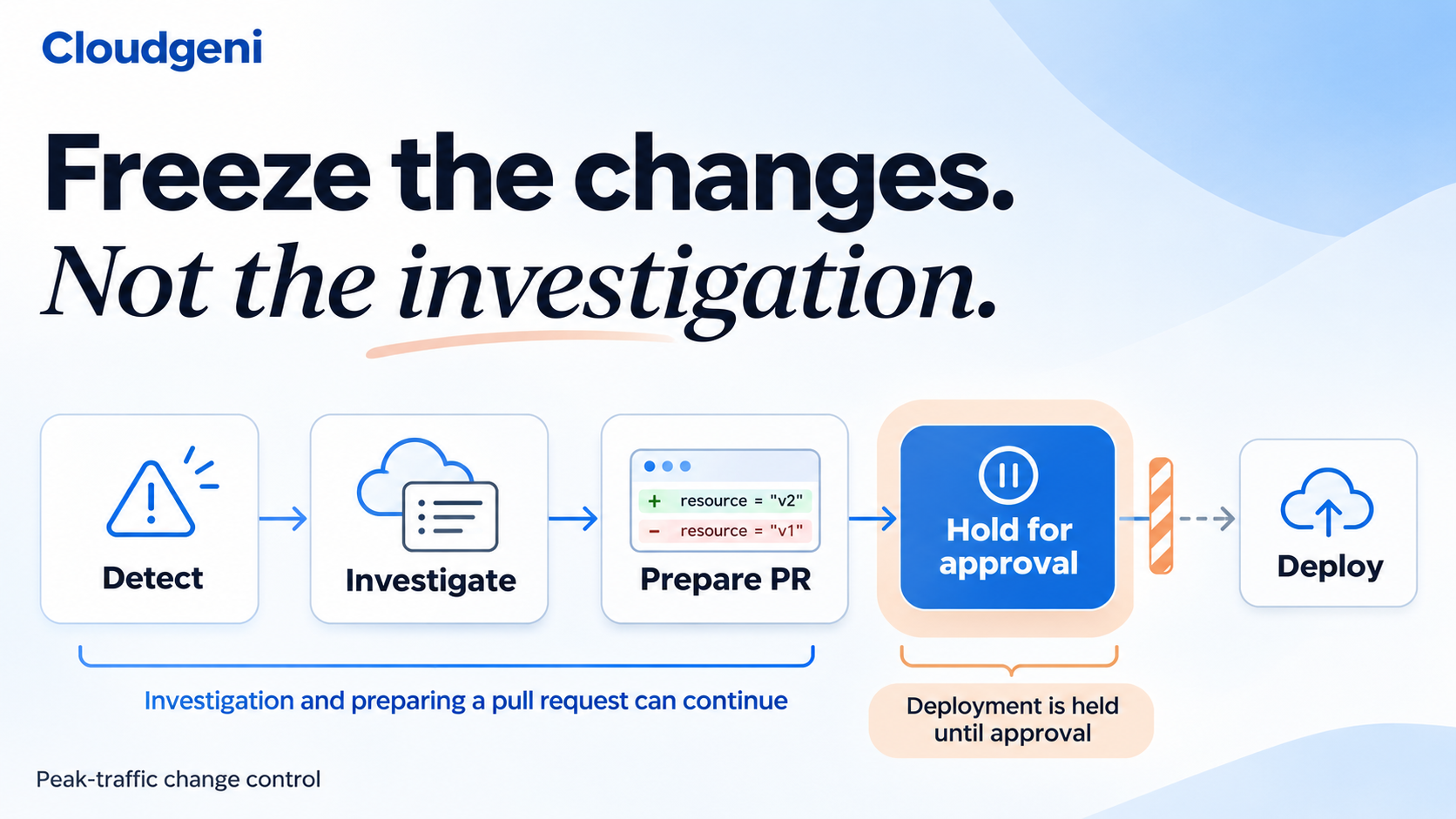
Freeze the changes. Not the investigation.
Keep infrastructure agents investigating during peak-traffic freezes, without quietly authorizing a production change. A practical Terraform and Cloudgeni workflow.

A change freeze is supposed to reduce the chance of breaking production. It should not stop you finding out what is already wrong.
That distinction matters heading into Black Friday and other peak-traffic windows. Turning off an agent entirely may stop a risky deployment. It also stops useful investigation. Letting it keep its normal deployment authority is not a good alternative.
I would separate those decisions. Keep the evidence moving. Put the hold at the production-change boundary.
A finding is not an emergency change
Consider an illustrative checkout environment. A scan finds an administrative ingress rule opened in the cloud console. The repository still describes a narrower rule.
The agent can identify the resource, compare the live configuration with IaC, and prepare a correction. It should also investigate why the rule changed. An on-call engineer may have opened it during an incident. Removing it without that context could interrupt the response.
Now suppose the proposed Terraform plan also replaces a database instance because the branch contains an unrelated configuration change. The security fix may be sensible. That execution plan is not an acceptable exception to a freeze.
“The checks passed” does not answer whether the change belongs in this window. The reviewer needs the actual resource actions, the reason for the exception, and the person responsible for the outcome.
Keep preparing. Review the plan that will run.
In a plan-only environment, a preparation step might look like this:
terraform plan -input=false -out=tfplan
terraform show -json tfplan > tfplan.json
These commands are illustrative, not a tested deployment recipe. Planning still requires appropriately scoped provider access. Protect both files: Terraform documents that a saved plan can contain sensitive values in cleartext.
The useful review is specific. Does the plan touch only the approved resources? Does it include a replacement or deletion? What behaviour should change, and how will someone verify it after deployment? A count of “one resource changed” is not a risk assessment.
Do not carry an old speculative plan through several days of console fixes and assume it still describes the environment. HashiCorp explicitly recommends checking the final non-speculative plan before applying. If generating that final plan changes the proposed actions, it needs another review.
There is another easy mistake: passing a saved plan to terraform apply does not produce an interactive approval prompt. Terraform treats supplying the plan as approval. The authorization gate therefore belongs in the workflow before that command, not in somebody's expectation that the CLI will ask.
Lower the agent's authority, not the quality of its work
This is a practical use for Cloudgeni's workspace authority levels. The current product model distinguishes Observe, which detects and reports, from Propose, which prepares branches and pull requests without merging or applying. Governed is the separate level for eligible changes that pass its safety gates.
For a freeze that allows PR preparation, Propose is the relevant starting point. For a stricter window that permits no repository changes, use Observe. Confirm what is enabled in your deployment rather than treating a website description as evidence of your workspace configuration.
Keep the surrounding pipeline consistent. If opening a branch triggers a CI job with production write credentials, a “prepare only” intention is not enough. Check branch workflows and credential scopes as well as the agent setting.
These boundaries are useful outside retail too: month-end processing, a major customer migration, or the days when half the on-call rota is away.
An exception needs a recovery plan
Some changes cannot wait. Route those through an explicit exception with an owner, current plan, verification steps and a realistic recovery path.
“Revert the commit” is not a universal rollback strategy. Terraform does not automatically roll back a partially completed apply. A replacement, a data migration, and a network rule change need different recovery decisions.
The goal is not a growing folder of AI suggestions. It is a smaller, better-understood change queue when the window opens, and a defensible decision when something genuinely cannot wait.
Pick one production workspace before your next peak period. Check exactly what its agents and branch pipelines may do. Keep investigation running at the authority level you actually intend.
Related: AI-generated Terraform: what evidence belongs in the PR?
Technical sources checked November 23, 2026: Terraform plan reference, Terraform apply reference, and Cloudgeni's current product description. The checkout scenario and hero diagram are illustrative, not a customer incident or a production execution test.